

How to Optimize Google Business Profile for Local SEO
Plenty of business owners have a Google Business Profile. Fewer have one that actually brings in work. Those are two different things.
Having a profile means your name, address, and phone number exist on Google. Fixing it so the right customers find it and call you is another job entirely. That's what how to optimize a Google Business Profile comes down to. And a filled-in profile isn't automatically a competitive one, because your competitors probably filled theirs in too.
So Google Business Profile optimization is bigger than checking boxes. You want the business:
Described accurately
Matched to the searches that bring in real jobs
Easy for Google to understand
Useful to the person reading it
Backed up by what shows up about you elsewhere online
Your profile appears in two main places: Google Search and Google Maps. In both, Google says local results are mainly based on relevance, distance, and prominence. Relevance is how well your profile matches what someone typed. Distance is how far you are from the searcher. Prominence is how well known your business is. We'll go through each one in this guide.
One thing up front, though. Nobody can guarantee a particular ranking position. Google itself says there's no way to request or pay for a better local ranking.
Key Takeaways
A complete profile isn't a competitive one. Diagnose whether relevance, distance, prominence, or competition is holding you back.
Google ranks local results mainly on relevance, distance, and prominence. No one can pay for or guarantee a better ranking.
Start with business goals and customer searches before touching any field. Categories and services should describe what you actually do.
Name, address, and service area must match the real world. Keyword stuffing or fake locations can get a profile suspended.
Never buy, trade, or steer reviews. Ask every customer, reply professionally, and let honest feedback build trust.
Your website backs up your profile. Each main service deserves its own page, but cloned city pages invite trouble.
No profile setting guarantees AI answers. Clear, consistent information across your profile, website, and directories is the safer bet.
Views aren't the goal. Track calls, estimates, and new customers, because Google's data stops at the click.
Is Your Business Eligible, Claimed, and Verified?
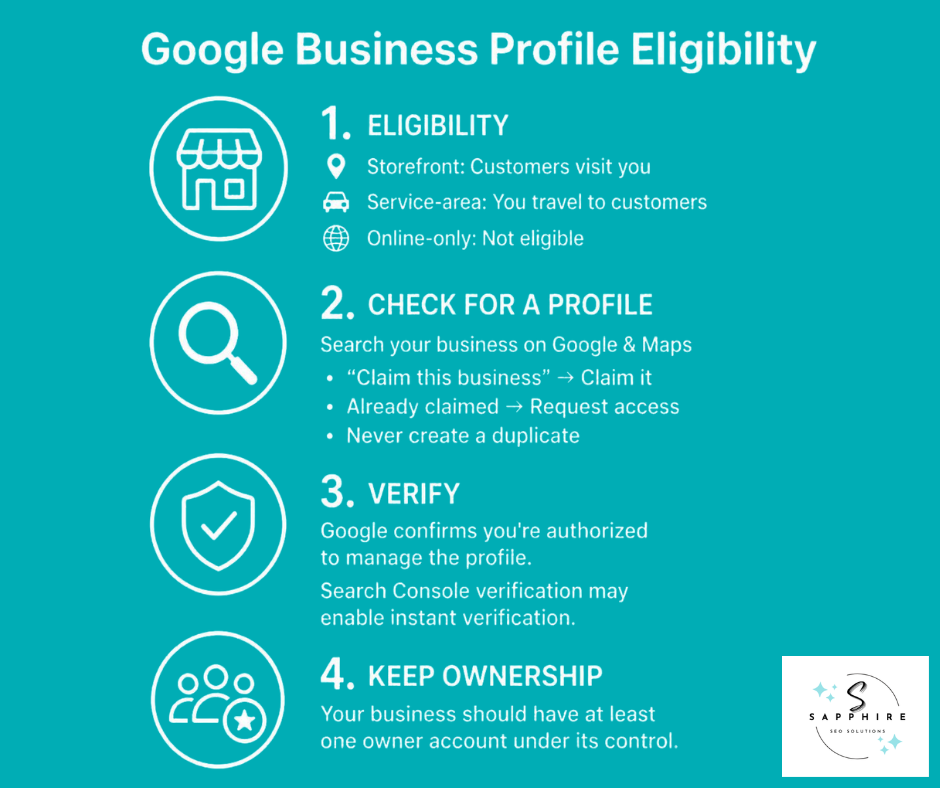
Before you fix anything, make sure your local business can have a Google Business Profile at all. Google says it's for two kinds of businesses:
Storefront businesses, where customers visit you in person
Service-area businesses, where you travel to your customers (think plumbers, landscapers, and mobile detailers)
Only businesses that make face-to-face contact with customers are eligible. So if you run a business online with no location customers can visit and you never go to them, you don't qualify. Properties for rent or sale don't either.
Next, check whether a profile already exists. Search your business name on Google or Maps. There may be one already, started by a former employee or an old agency. If you see "Claim this business," that's your move. If someone else has claimed it, you can request access from them. But don't build a second one. Google's guideline is one profile per business, because duplicates can cause problems with how your information shows up on Maps and Search.
Then comes verification. That's Google's way of confirming you're actually authorized to manage the profile, and the method you get depends on your business. Once in a while, it happens instantly. Google says it can only rarely confirm ownership right away, and verifying your website with Google Search Console (a free Google tool that shows how your site performs in search) might get you instant verification.
One last thing. Profiles have owners and managers. Make sure at least one owner login belongs to your company, not to a freelancer or agency. Otherwise, you could lose control of your own profile.
How Google Determines Local Search Rankings
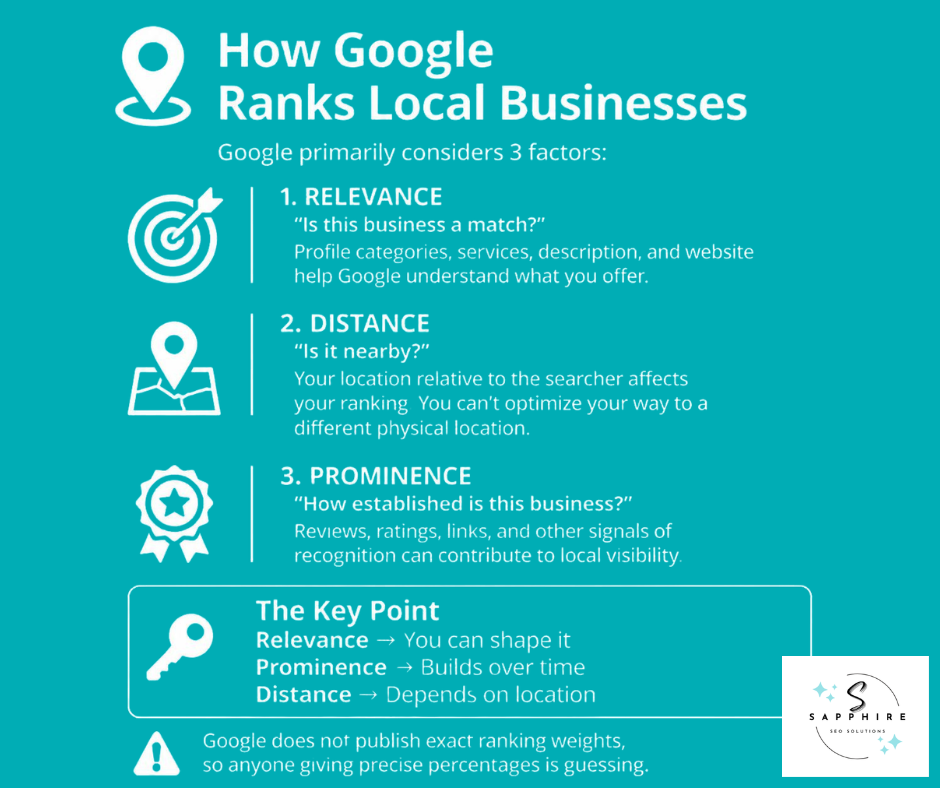
When someone searches for a business or place near them, local search results show up in Google Search and Google Maps. Google says it tries to show the kind of nearby business that person would like to visit. To sort those search results, local results are mainly based on relevance, distance, and prominence.
The details of Google's algorithm (the rules its system follows to sort local search rankings) stay confidential. Google says there's no way to request or pay for a better local ranking. So nobody outside Google knows how much each factor counts in search rankings. Anyone handing you percentages is guessing.
Each factor answers one question.
Relevance
"Is this business a match?"
Relevance tells how well a Business Profile matches what someone is searching for. Google says to give complete and detailed business info so it can match your profile to the right searches. Categories, services, your description, and your website all play into that. A plumber whose profile clearly says water heater repair is easier to match than one that says "home services."
Distance
"Is it realistically near this search?"
Distance tells how far each business is from the customer who's searching. If the customer doesn't share where they are, Google uses what it knows about their location. You can't change this one. Profile work can't move your shop across town, so your spot in Google Maps results will always depend partly on where you actually are. And it can't legitimately create a physical presence where you have none.
Prominence
"How established is this business?"
Prominence means how well-known a business is. Google says it's also based on info like how many websites link to your business (think of each link as a referral from another site) and how many reviews you have. More reviews and positive ratings can help your business's local ranking. Notice the word "help." Google didn't say "decide."
So relevance is mostly yours to shape. Prominence builds over time. Distance is what it is. Most of this guide works on the first two.
Start with Search Intent, Services, and Business Goals
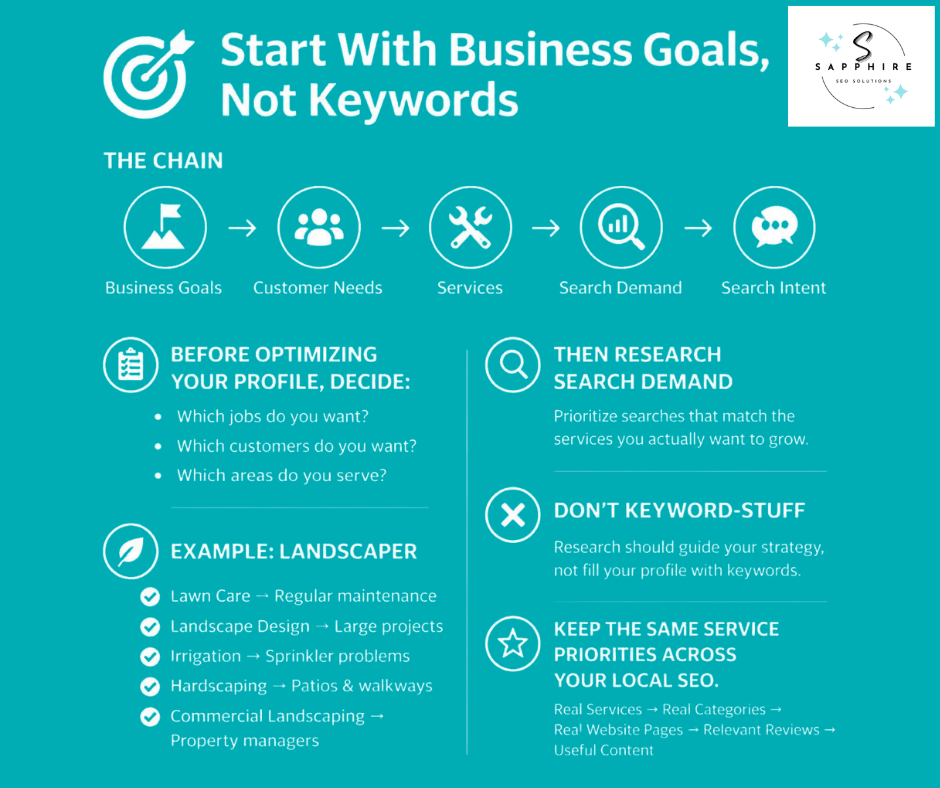
Most people open their profile and start filling in boxes. That's backwards. Before you touch a single field, get clear on what the business wants:
Which jobs
Which potential customers
Which areas
Everything else follows from that.
Think of it as a chain. Your business goals shape which customer needs you go after. Those needs point to the services you offer. Each service has search demand, meaning people typing it into Google.
Behind every search sits search intent, which is the reason someone is searching and what they plan to do next. Follow the chain, and your local visibility comes from work you can actually stand behind.
Take a landscaper. Five services, five kinds of local searches, five different customers:
Lawn care: a homeowner who wants a regular crew
Landscape design: someone planning a big project and comparing options
Irrigation: someone whose sprinklers just quit
Hardscaping: patios, walls, and walkways
Commercial landscaping: a property manager hunting for a contractor
Now the owner has to choose. Maybe design work pays better than mowing. Maybe the crew can't take on more lawn accounts. That's a business call, and it comes before any keyword. Search research then shows which relevant keywords (the words and phrases people actually type) match the services you want to grow. For small businesses with limited crews, that keeps you from chasing every search and lets you attract customers you really want. Search volume matters. But it isn't the only thing to weigh.
One warning, though. Research tells you which real services deserve emphasis. It doesn't hand you target keywords to cram into the profile. Google's spam policies define keyword stuffing as filling a web page with keywords to manipulate rankings, and they list blocks of text naming cities and regions a page wants to rank for as an example. For the profile itself, Google says your business name should reflect your real-world name. So no made-up services. And not every keyword earns its own field.
Once the list is settled, use it everywhere. It shapes your categories and services in the profile, the service pages on your website, the jobs you ask customers to write about in reviews, and the local content you publish. Same list, same story. That gives Google a clearer way to match you to more relevant searches, and it gives customers a clearer reason to call.
Audit the Local SERP and Your Competitors Before Making Changes
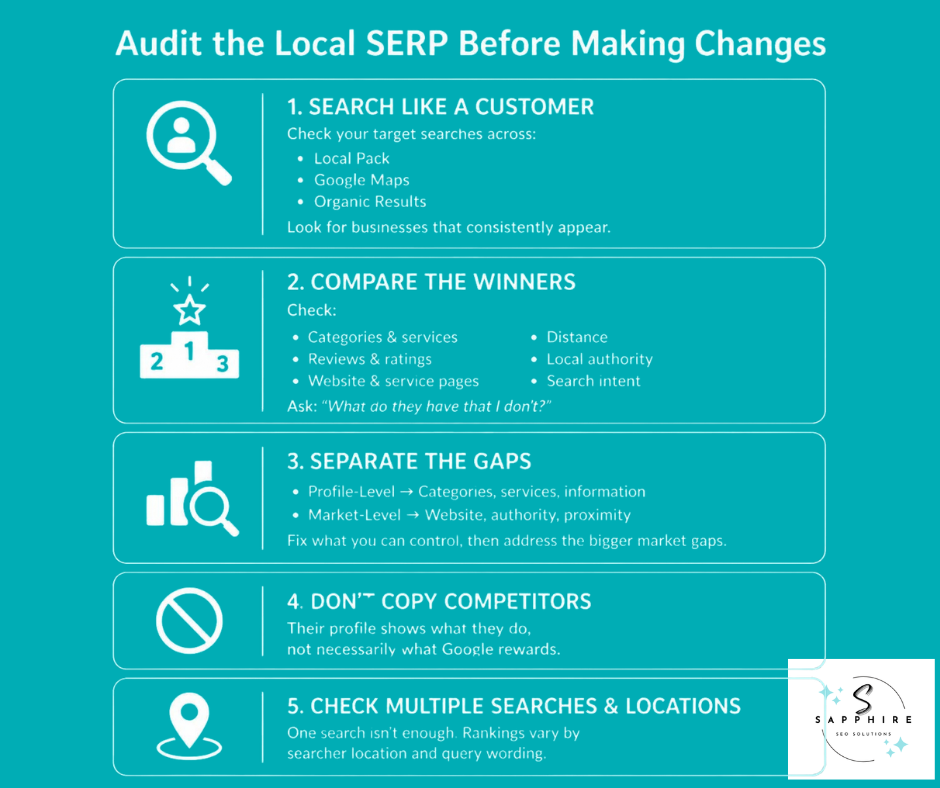
Pros don't start by editing the profile. They start by looking at who's already winning. That tells you whether the problem sits inside your business profile or in the market around it, and it shows where your business stands right now.
Pick the searches a customer would type before hiring you. Run them and study the whole results page (the "SERP," short for search engine results page). Look at the local pack, which is the box with a map and usually three business listings. Then check the Maps results and the regular organic results below. Notice who keeps showing up.
Now compare those competitors to your own profile:
Primary and secondary categories
Services listed
Review count, rating, and how recent the reviews are
Website quality, including whether there's a page for the searched service
How close they are to the searcher
Local authority, meaning how trusted they are around town through links, mentions, and reputation
What the searcher seems to want, like a quick repair, a quote, or a big project
Then ask one question. What do the businesses winning this search have that mine doesn't?
Sort the answers into two piles. Profile-level weaknesses live inside your listing: a wrong category, missing services, thin information. You can fix those directly. Market-level weaknesses are bigger: stronger websites, more local authority, or a closer address.
Say a plumber has the right category, complete services, accurate details, and good reviews. But the competitors have far stronger local authority and websites built around each service. Adding another photo won't touch that. Even an optimized Google Business Profile can sit behind them until the website and local reputation catch up.
A few cautions to keep in mind:
Don't copy a competitor's categories just because they're there. Their business isn't yours.
Don't treat the top result as a blueprint because Google keeps its algorithm details confidential. A rival's profile shows what they did, not what Google rewards.
Skip any tactic that breaks Google's guidelines, too, even if someone else is getting away with it.
One search isn't proof, either. Distance is measured from the searcher, and if a customer doesn't share where they are, Google uses what it knows about their location. So check from several spots, with a few different phrasings.
Get Your Business Name, Address, Phone, Hours, and Service Area Right
These basics look boring. They're also where profiles get into trouble. Your business listing is often the first thing a customer sees, and Google wants your business information to match the real world.
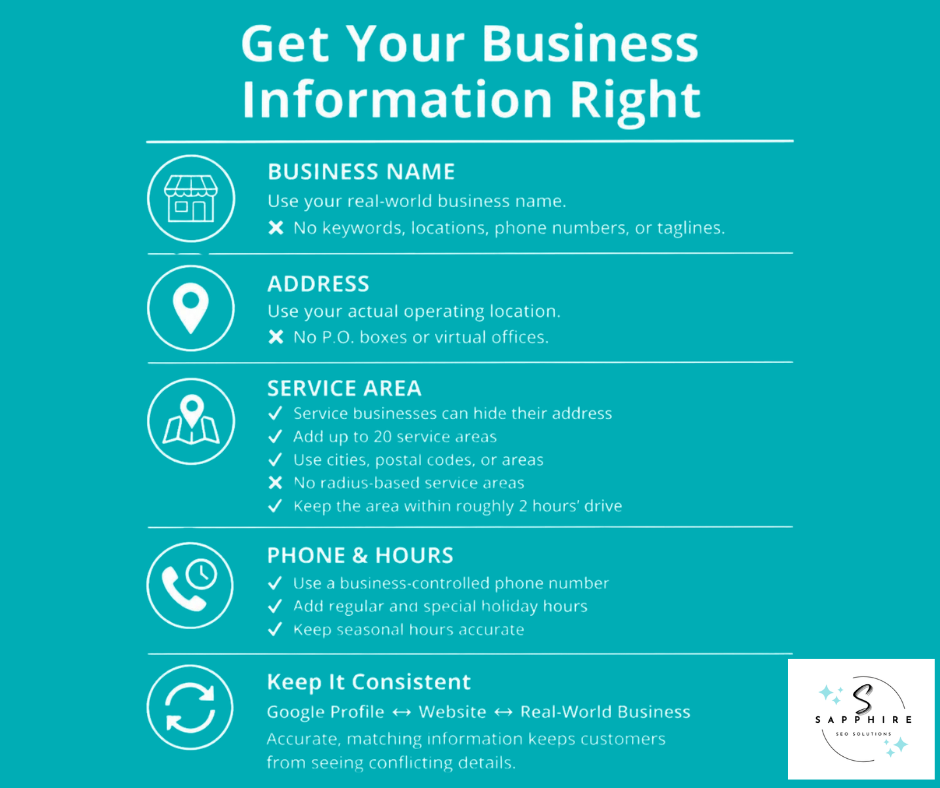
Business Name
Google says your business name should reflect the real-world name used on your storefront, website, stationery, and as known to customers. Address, hours, and category have their own fields. So "Best Plumber in Dallas" doesn't belong in the name field. Google says including unnecessary information in your business name isn't permitted and could result in the suspension of your Business Profile. Its no-go list includes marketing taglines, phone numbers, URLs, and service or location information.
Address
Use your actual, real-world business location. Google says P.O. boxes or mailboxes at remote locations aren't acceptable. A virtual office, meaning a rented mailing address where you don't actually operate, isn't eligible for a Business Profile. If Google can't find your street number, you can pin the spot on the map yourself.
Service Area
A service-area business visits or delivers to customers and doesn't serve them at its business address. Plumbers and cleaning services are Google's examples. A hybrid business does both, like a dine-in restaurant that also delivers. And if you don't serve customers at your address, Google says to remove it from your profile. A plumber working from home should hide the home address.
Service Areas
You can set up to 20, based on cities, postal codes, or other areas. But you can't set a service area as a radius distance, so that old "pick a 50-mile circle" advice is out. Google also says your overall area shouldn't be more than about 2 hours of driving time from where you're based. And service-area businesses can only have one profile for the whole area they serve. So no separate profile for every city.
Phone and Hours
Google says the phone number must be under the direct control of the business, and it prefers a local number over a central call center line when possible.
Enter your regular customer-facing business hours, and add special hours for holidays or events.
Seasonal businesses can use current seasonal hours as regular hours, then mark the profile temporarily closed in the off-season.
Keep all of this the same on your website and profile so customers never wonder which version is right. But matching details isn't a ranking trick. It's just accuracy.
Choose the Right Primary and Secondary Categories
Categories tell Google what kind of business you are. Google says they help customers find accurate, specific results for the services they want. So of all the fields in your profile, business categories are worth some real thought.
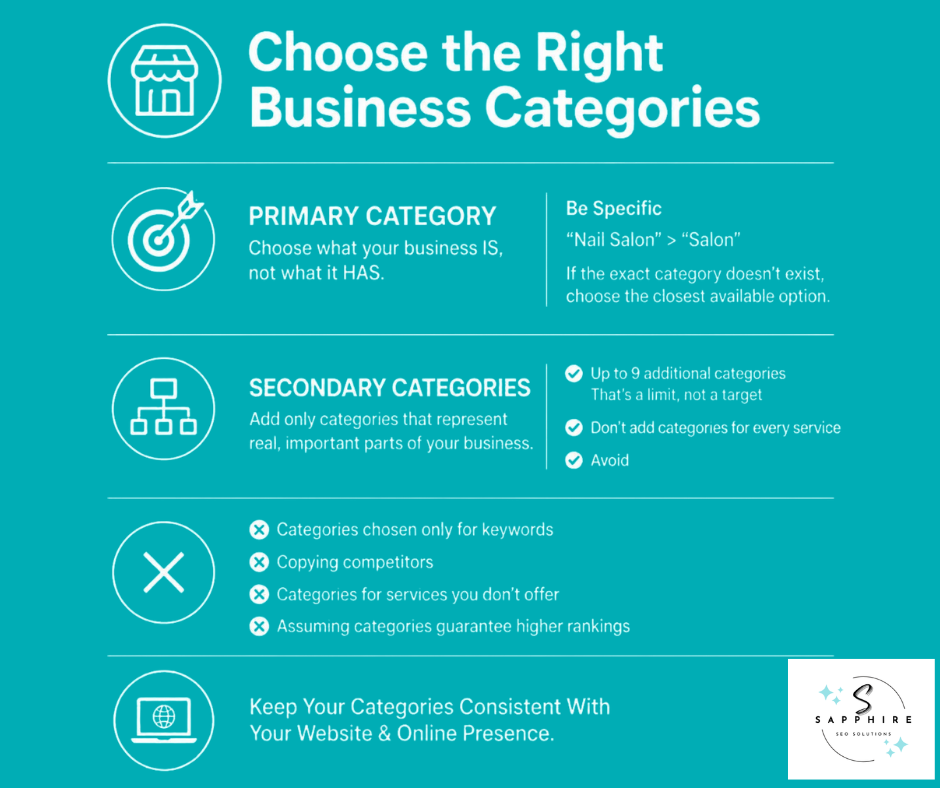
Your primary category should be the one that best describes your core business. Google's test is simple. Choose categories that complete the sentence "This business IS a...," not "This business HAS a..." A grocery store IS a grocery store. It HAS a bakery. The goal is to describe the business as a whole, not to list every service, product, or amenity.
Then get specific. Google's own example: choose "Nail salon" instead of "Salon." And if the specific category you want isn't on the list, pick a general one, because you can't create your own category. Google also says that when you choose a specific category, it implicitly includes more general ones. So you can skip anything redundant.
Secondary categories cover the other real parts of your business. In Google's example, a grocery store with a bakery and deli picks "Grocery store" as primary, then adds "Bakery" and "Deli." But Google says not to select a category for every product or service. Use as few categories as it takes to describe your overall core business. Google's category limit is up to nine additional categories. That's a ceiling, not a target.
Picture a landscaper who mostly designs yards but also does regular lawn care. Design could be the primary category, with lawn care added only if it's a service the company truly offers. That's a call about where the business wants to grow, which is where Section 4's work pays off.
A few things to steer clear of:
Adding categories just because they carry good search terms. Google says do not use categories solely as keywords.
Copying every category a competitor uses. Look at what the winners pick for context, but their business isn't yours.
Choosing categories for searches you don't actually want to serve.
Assuming a category change will move your ranking. Nobody can promise that.
One more thing. Google says it can also detect category information from your website and from mentions about your business across the web. So your website should say the same thing your categories do.
Add and Organize the Services Your Business Actually Provides
Categories say what your business is. Services say what it does. They're two separate things, and people mix them up all the time. A landscaper's category describes the company. The service list gets down to the jobs: sprinkler repair, patio installs, spring cleanups.
Google says that when local customers search for an offering you provide, that service may be highlighted on your profile. In the Google Maps app, customers can view your full list under "Services." So it isn't filler. It's part of the page people read before they call. Your list should show what your business offers, and only that.
Start with Google's suggestions. Google says you can choose from suggested options tailored to your business type. A plumbing business might see "Install faucet" or "Repair toilet." If yours isn't listed, add a custom service. Keep the names plain, though. Google says custom services that violate its policy are automatically rejected, and to keep profanity, gibberish, personal information, prices, and phone numbers out of the names.
Then organize. Google lets you group services into categories and add details like descriptions and prices. Group them so a customer can scan the list in seconds, and use descriptions to say what's included. "Weekly mowing, edging, and cleanup for residential lawns" tells a customer something. "Lawn care lawn service lawn maintenance near me" tells them nothing.
A few things to skip:
Services you don't actually provide
Near-duplicates, like "Lawn mowing," "Lawn mowing service," and "Mowing lawns"
Keyword strings dressed up as service names
One clean entry per real service is plenty. And adding one doesn't guarantee anything. Google's own wording is that a service "may" be highlighted.
Now the bigger picture. Think of a line running from your business to your customer. Your category says what you are. Your services list what you do. A matching page on your website explains each main service in detail. And the customer knows what to expect when they call. When those four match, nobody has to guess. But if your profile lists irrigation and your website never mentions it, you've created a gap. Google and customers will both notice.
Write a Business Description That Clearly Explains the Business
Your Google Business Profile description shows up in the "From the business" section of your profile. Google says to enter a brief description of your business and to not exceed 750 characters. That's a short paragraph. So every sentence has to earn its spot.
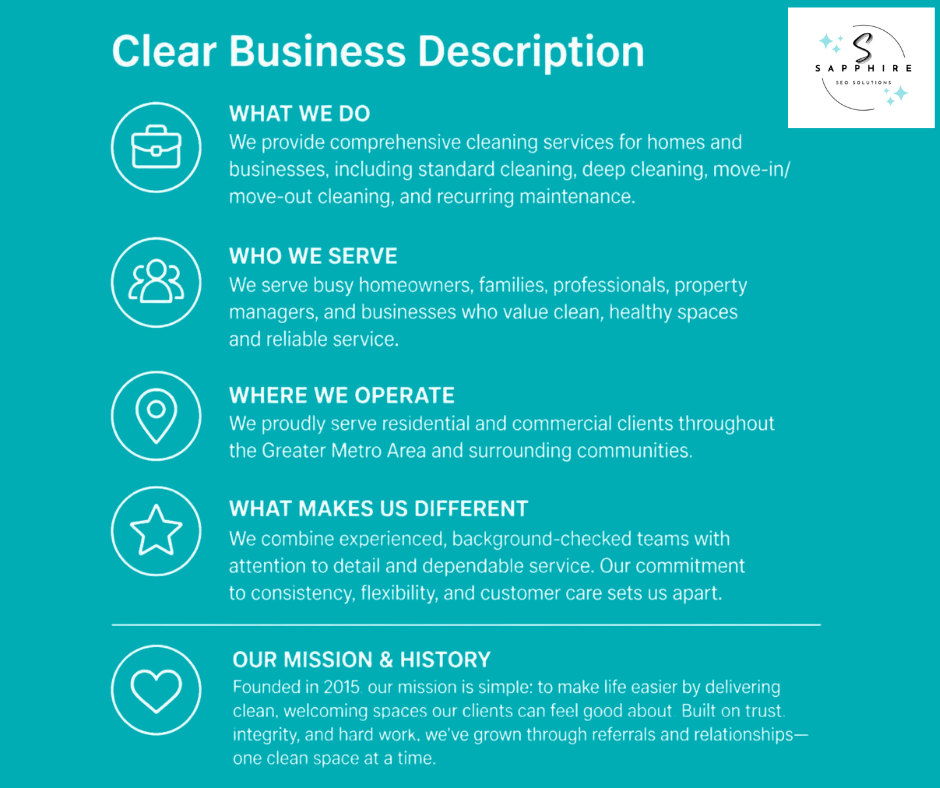
Google's guidance is straightforward. Use the description to share useful information on the services and products you offer, plus the mission and history of your business. Be upfront and honest, and make sure it can accurately reflect the real business, not a wish list.
A simple order works well:
What you do
Who you serve
Where you operate
What makes you different
Here's a made-up example for a landscaper:
Green Ridge Landscaping designs and maintains yards for homeowners and small commercial properties in Franklin and the towns around it. We handle lawn care, irrigation repair, patios, and full landscape design. Family-owned since 2009, we send the same crew from the first estimate to the final cleanup.
Notice what's missing. No "best in town." No stack of repeated phrases. Someone reading it, or an AI tool summarizing your business, knows exactly who you are and where you work.
Now the don'ts. Google says the description shouldn't focus on special promotions, prices, or sales. It also says no links of any type are allowed, and to leave out URLs and HTML code. Low-quality content like misspellings and gibberish is out too. On top of Google's rules, skip keyword strings such as "lawn care Franklin, lawn care service Franklin." They read badly, and they help nobody.
One more thing. Google hasn't said this field moves your ranking on its own. So treat it as a way to help a customer decide, and to make sure Google gets the same story as the rest of your profile.
Complete the Profile with Useful Customer Information
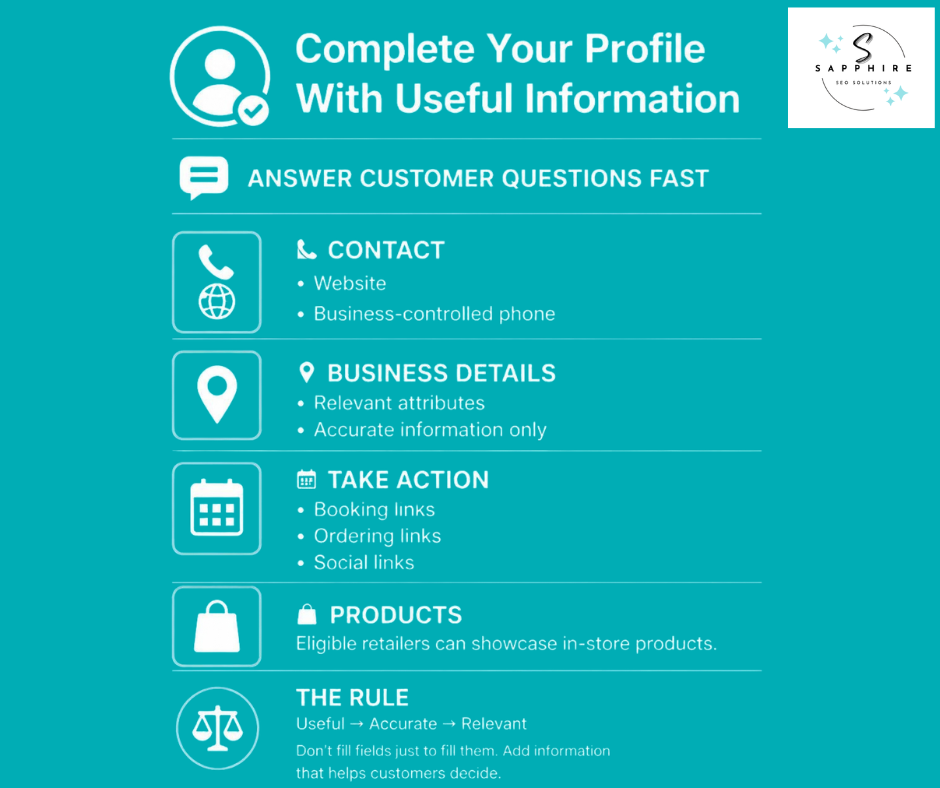
Think of your Google profile as a digital storefront. Customers peek in before they decide to walk through the door. A complete profile answers their questions fast. Do you do this work? Can I reach you? Can I book? So fill in what helps a customer decide, and skip what doesn't.
Google says businesses with complete and accurate info are more likely to show up in local search results. That's no reason to fill every box, though. What's worth your time:
Website and phone: Google says the phone number must be under the direct control of the business, and it prefers a local number over a central call center line whenever possible.
Attributes: Google says they tell customers more about your business, with examples like "Wi-Fi" or "Has outdoor seating." A café might show free Wi-Fi. A contractor's options look different. Some attributes can only be changed in certain locations, countries, or business categories. And subjective attributes, like being popular with locals, rely on the opinions of Google users who've visited.
Booking and ordering links: Google says some business categories can add more links, like online orders, reservations, or appointments. If yours can, use them.
Social links: Google allows one link per platform, but says they're available in select regions and may not show up for everyone.
Products: Retail businesses in eligible countries (US, CA, UK, and IE) can show in-store products on the profile.
Now, the caution. Google hasn't said attributes directly improve rankings, so don't sell them that way. Treat each field as the answer to a customer's question. If a field doesn't answer one, leave it alone. And only enter what's true. The features you see also depend on your category and eligibility, so check what your own profile offers before you go hunting.
Add Real Photos and Videos That Show What the Business Actually Does
A customer choosing a contractor can't see your work in person. Photos do that job. They answer one question fast: is this a real business that does the work I need? So trust comes first here.
Google says category-specific photos spotlight features customers use when deciding to buy, and can help your business stand out. So add high-quality photos of the real thing. For a service business, that means:
Finished projects and before-and-after shots
Work in progress and job sites
Team photos, trucks, and equipment
Storefront businesses should show the exterior, interior, products, customer areas, and signage. Google says an exterior photo helps customers recognize your business when they visit. And pick a cover photo that shows real work or a real building, not a graphic.
Three rules keep it honest:
Real beats stock: Google says any content must accurately represent the location in question, and stock photos of smiling strangers don't. Relevant beats decorative, so every image should show something a customer cares about. Accurate beats edited. Google's standard is photos that are in focus and well lit, with no significant alterations or excessive use of filters. AI-generated project photos fail all three tests.
The technical bits are short: Upload images in JPG or PNG, between 10 KB and 5 MB. Google recommends 720 px tall and 720 px wide, with a minimum of 250 px by 250 px. Photos and videos show up only after you verify the profile, and it can take up to 24 to 48 hours for them to appear. Google reviews each upload before it goes live.
Keep it fresh: Add new photos after big jobs so the profile shows your current work. But don't chase a magic number. Google hasn't said that 100 photos rank you higher, and file-name or geotag tricks aren't worth building a plan around. Clear, honest, high-quality images that hold your customers' attention do the real work.
Build a Genuine Review Acquisition and Response Process
Google reviews do two jobs. Customers read them to decide who to call. And Google says more reviews and positive ratings can help your business's local ranking. Notice the words "can help." That's not a promise.
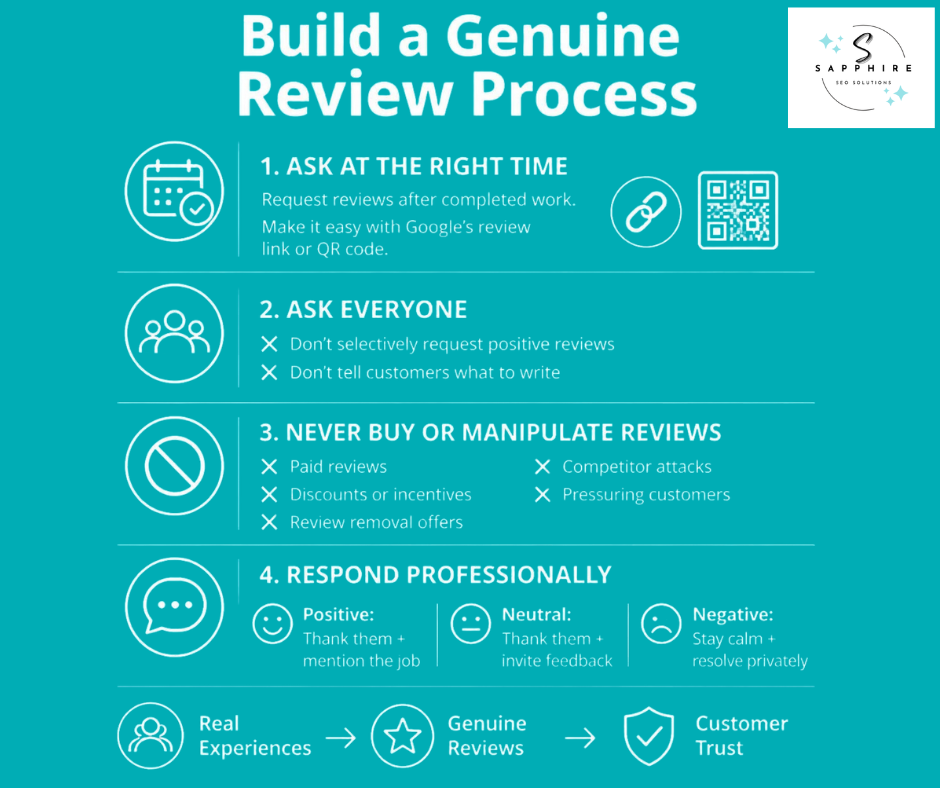
Ask the right way. Ask customers to leave reviews right after the work is done, while happy customers are still happy, and make it easy. Google lets you create a review link or QR code from your profile (Read reviews, then Get more reviews). It's a free tool, though the QR code can only be generated on a computer browser, not a phone. Start with your loyal customers, the repeat clients who already send you referrals. But ask everyone, not just the happy ones. Google's policy prohibits selectively soliciting positive reviews. It also says merchants shouldn't request that specific content be included. So don't hand customers keywords to repeat. Let them describe the job in their own words.
What's off limits:
Paid reviews: Google says reviews paid for, directly or in kind, aren't allowed.
Incentives: Offering free or discounted goods or services in exchange for reviews is fake engagement and strictly prohibited. That includes offers to post, change, or remove a negative review.
Conflicts of interest: Google names industry competitors as an example, so review attacks on rivals are out.
Pressure: Merchants shouldn't require or pressure users to leave ratings or write reviews while on the premises.
Reply to what you can. Google's advice is to be professional and polite and keep replies short and simple. It also says to skip the identical "thank you" on every review and share a helpful update or answer a question instead. Keep it conversational, not promotional, so no deals in your replies.
Here's how that plays out. For positive reviews, thank them and mention the specific job. For a neutral one, thank them and ask what would have made it better. For a negative review, stay calm, own the problem, and offer to fix it offline. Never argue in public. Google says a mix of positive and negative feedback often feels more trustworthy, so negative feedback handled well can work in your favor.
One practical note. Google reviews replies before they post, usually within 10 minutes, but sometimes up to 30 days.
Done right, reviews give shoppers trust, proof, and job-specific detail from real people. That's what gets the phone to ring.
To learn more about reviews and their impact on local SEO, make sure to read our detailed guide on “The Role of Online Reviews in Local SEO Rankings.”
Connect Your Google Business Profile to Your Website and Local SEO
Your profile doesn't work alone. Google says profile information is compiled from a variety of sources, including crawled web content, like information from a business's official website. Customers may also see details you haven't added. So your website is part of the story whether you planned it or not. Make sure it tells the same story.
That's where local SEO comes in. It's the work of making your business show up when people search nearby, and your website is a big piece of it. Google's own profile guidance says to direct customers to your website.
Your site should spell out:
Who you are, with your real business name and contact details
Each major service, ideally on its own page
Where you work, meaning the cities or areas you actually serve
Why customers should trust you, like experience, licenses, and real project photos
Your most important offerings
Then connect the two. Send web traffic from your profile to the page that matches what the customer wants, which isn't always the homepage. Google's guidelines say to provide a website that represents your individual business location. If your profile lists irrigation, the matching page should answer irrigation questions. And link your own pages to each other, so customers find the next step and Google can follow the trail.
Regular search engine optimization helps here too. That means pages that are clear, useful, and specific to your area. Add local detail you can back up, like neighborhoods served and jobs completed. Google also says prominence is based partly on how many websites link to your business. So pages worth linking to matter.
A few traps to keep in mind:
Don't plaster your profile on every page or embed a map everywhere.
Don't clone a page for every city with only the name swapped. Google's spam policies call out pages targeted at specific regions or cities that funnel users to one page, and substantially similar pages, as doorway abuse. One strong page beats twenty thin ones.
The website link itself isn't a ranking hack. It just puts the right page in front of the right customer.
Strengthen Your Business's Wider Local Search Presence
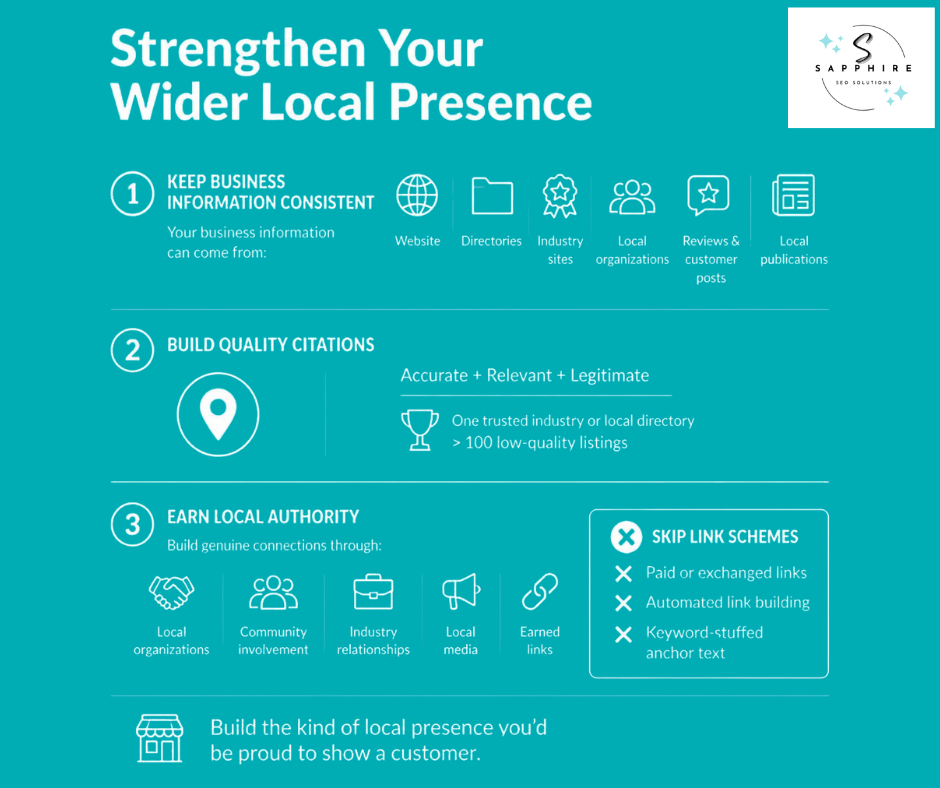
Google doesn't rely on your profile alone. It says profile information is compiled from a variety of sources, including crawled web content, contributions from users, and its own interactions with a local place or business. So what the rest of the web says about you matters. Your website, directories, local organizations, industry sites, reviews, local news, and posts from customers all feed the picture. When your details are right on other platforms, Google has more reason to trust them.
Start with citations. A citation is just a mention of your business name, address, and phone number on another site, like a directory listing. Focus on accuracy, relevance, legitimacy, and the directories that matter for your trade and your town. One clean listing on a respected industry directory beats a hundred junk ones. Google even lists low-quality directory or bookmark site links as link spam. And Google's local ranking page doesn't mention citations at all. So treat them as housekeeping, not a hack.
Then there's local authority, which is a different idea. It's how well-known and trusted you are around town. Google says prominence is based on info like how many websites link to your business. The honest ways to earn that:
Local organizations, like your chamber of commerce or a business group
Community involvement, like volunteering or events you take part in
Industry relationships with suppliers, manufacturers, and trade associations
Local publications that cover your work
Links other sites give you because your work earned them
Some shortcuts to skip. Google lists exchanging goods or services for links, using automated programs or services to create links, and links with optimized anchor text in guest posts or press releases distributed on other sites as link spam. Anchor text is the clickable words in a link, and stuffing exact keywords into it looks manufactured. So build the kind of links you'd be proud to show a customer.
Make Your Business Information Clear Across Google and AI Search
First, a caveat. No profile setting guarantees you'll show up in AI answers. Google says AI responses can include information about local businesses, and that using Google Business Profiles can help your services be visible there. But "can help" isn't "will," and Google adds that indexing and serving aren't guaranteed. It also says optimizing for generative AI search is optimizing for the search experience, and thus still SEO. That guidance covers Google's features, like AI Overviews and AI Mode. Other AI tools may work differently.
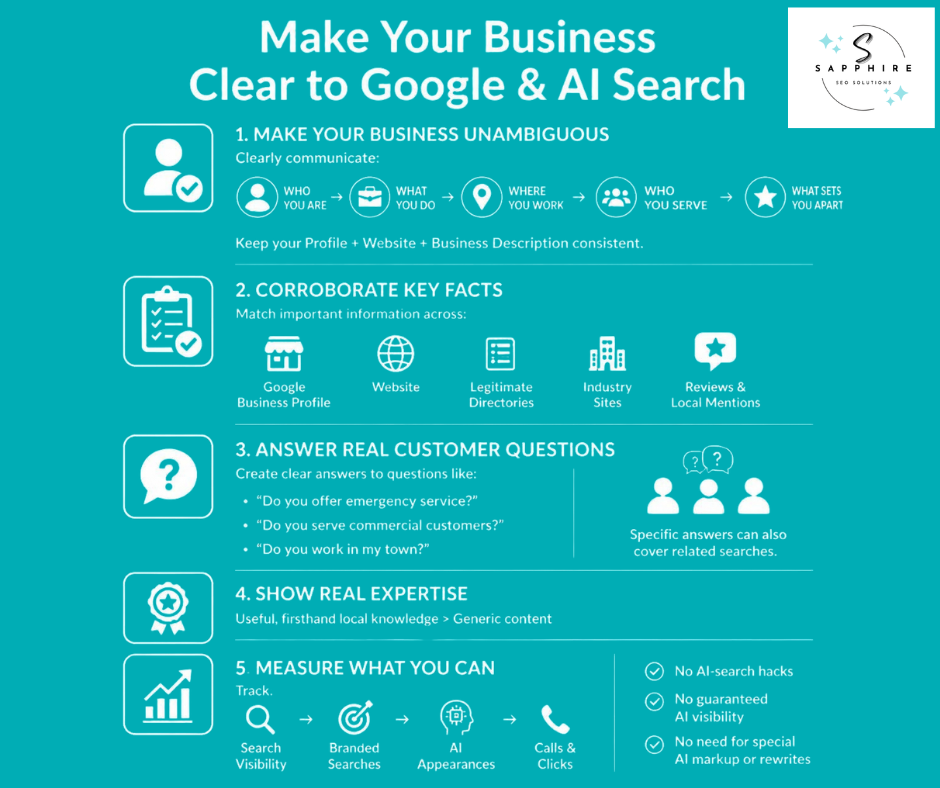
Make the Business Unambiguous
Say plainly who you are, what you do, which services you offer, where you work, who you serve, and what sets you apart. Your profile, website, and description should read like the same company.
Corroborate Important Facts
Google says profile information comes from a variety of sources, including your official website. So your key facts, like services and service area, should match across your profile, website, legitimate directories, industry sites, reviews, and local mentions. When they agree, nothing looks off.
Answer Real Customer Questions
Customers ask things like these. Does this plumber handle emergencies? Does this landscaper take commercial properties? Does this roofer serve my town? A page that answers plainly gives Google something solid to show. Google even explains that its AI can fire off related searches for one question. Its example, "how to fix a lawn that's full of weeds," could spawn searches like "remove weeds without chemicals." So specific, helpful pages cover more ground.
Connect First-Party Expertise with Local Business Information
Google says unique, useful content will likely matter more in the long run than any other tip in its guide. A landscaper's notes on what works in clay soil beat a generic "7 lawn tips" post.
Skip the myths. Google says you don't need llms.txt files, special markup, chunked content, or AI-specific rewrites for its AI features. It also says structured data isn't required and that seeking inauthentic mentions isn't as helpful as it seems.
AI-Search Measurement
Nobody can promise a direct profile-to-AI link. So watch the signals you can actually see:
Branded searches, meaning people searching your company name
Local searches for your main services
Your overall Google Search visibility
AI appearances, through the Generative AI performance report in Search Console
Calls, website clicks, and referral traffic
Google also warns you to be wary of third-party tools that promise ranking success or claim to use internal Google metrics.
Use Posts and Other Ongoing Profile Features to Keep Customers Informed
Google Posts are short updates that show up on your profile. Google says you can use them to share announcements, offers, updates, and event details with customers on Search and Maps, and that fresh updates help customers decide to visit. Posts can include text, photos, or video.
For a service business, that might be a seasonal note ("spring cleanup slots are open"), a photo of a finished job, or upcoming events like a booth at a home show. Events take a title plus start and end dates and times. Skip the times, and Google shows the event as lasting 24 hours on those dates.
Running limited-time promotions? Google says any promotion should clearly link to the terms of the activity, so spell out the details.
How often should you go? Google doesn't give a schedule. So post regularly when you have something worth saying, not to hit a number. Google does say posts older than six months are archived unless a date range is set. And it hasn't said that posting updates boosts your ranking. Treat Posts as a way to keep a customer informed, not as a ranking trick.
A few other habits keep the profile healthy:
Update your hours for holidays and seasonal changes
Reply to new reviews
Check what others add, like customer photos
Fix anything that's wrong
None of it takes long. But it keeps the profile current.
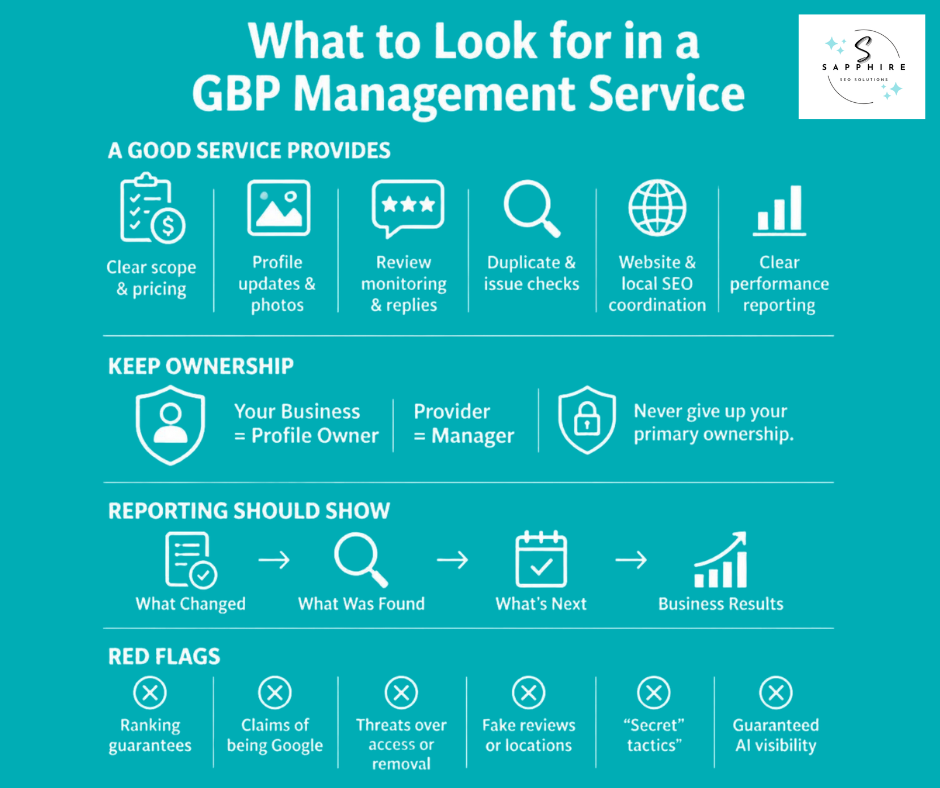
Measure What Your Google Business Profile Is Actually Producing
Numbers without context mislead. So measure in three layers, from what Google shows you to what actually lands in your bank account.
Google's Performance data shows how people discover your profile on Search and Maps, and what they do next. Owners and managers can check views, clicks, and other customer interactions, and set a date range. Only metrics that apply to your business appear. The main ones:
Views, though Google says a person is counted once a day, and this covers only views of your Business Profile, not all views of your business on Google
Calls, meaning the number of times a customer clicked the call button
Website clicks, meaning the number of times people clicked the website link
Directions, meaning how many people asked for directions
Messages, where available
Layer one is search visibility. Are relevant people finding you? Views and the searches behind them help answer that. But a view isn't a customer, and a pile of views from the wrong people doesn't mean your SEO is working.
Layer two is customer engagement. Are people calling, clicking, or asking for directions? Those actions show real interest. Still, read them carefully. Google counts calls made through the call button, so it won't catch someone who dialed your number from your website. And not every interaction is a lead. Some are wrong numbers, job seekers, or vendors.
Layer three is business results. Did those interactions turn into estimates, booked jobs, and revenue? Google's data stops at the click, so you have to track the rest yourself. Ask new callers how they found you. Then note it in your job log next to the estimate and the sale.
One more warning. A ranking check from a single search at a single spot isn't a report card. Results shift by where the searcher is standing, so check from several locations before drawing conclusions.
Here's the point. Traffic isn't the goal. More customers are, and specifically new customers for the jobs you want to do. If your views climb and your estimates stay flat, something in the chain needs work.
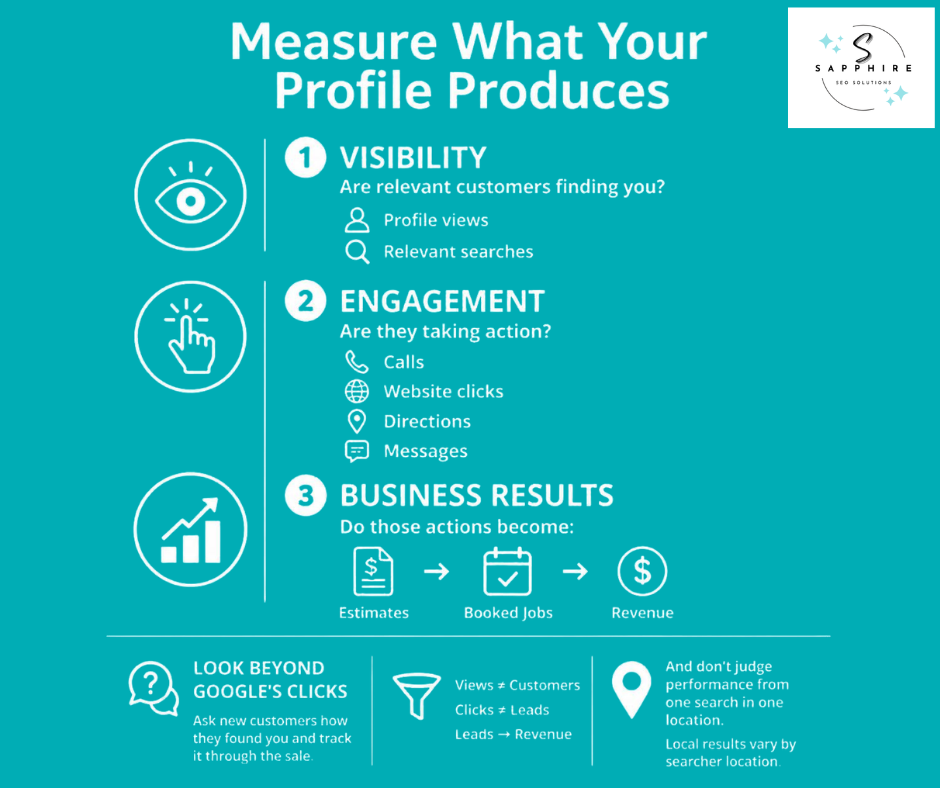
Why Isn't Your Google Business Profile Ranking?
A complete, verified profile can still sit below competitors for the searches that matter most. "My profile is 100% complete" isn't a diagnosis. Completeness is only one part of the picture. So look at five areas, one at a time.
Relevance: Is Google clear on what you do? The usual culprits are a wrong category, a thin service list, a vague description, or a website that doesn't back the profile up. Google says relevance is how well a Business Profile matches what someone is searching for.
Distance: Google looks at how far each business is from the customer who's searching. If your best customers search from across town, or the search points to a place where you have no real location, no edit fixes that.
Prominence: How well known are you? Google says it's based on info like how many websites link to your business and how many reviews you have. Fewer reviews, fewer local mentions, and a thinner website all show up here.
Competition: Sometimes the profile is fine, and the market is tough. Rivals may be older, better known, and stronger across the board. Or you may be chasing a search you aren't ready to win yet. That's where the competitor audit from earlier pays off. Start with searches where you can actually compete.
Data and eligibility problems: Duplicate profiles, wrong information, ownership tangles, policy issues, and a wrong service area can all hold you back. Google says only verified businesses can show their business info on Maps and Search, and a profile that violates its guidelines becomes disabled or suspended and won't show until the issue is resolved. Also, rankings for new businesses can take up to a month to appear, and edits can take up to 3 days to show. So check the basics before you assume the worst.
A low position doesn't automatically mean a penalty. It usually points back to one of these five.
Now, the panic fixes to skip. Adding more keywords to your profile is keyword stuffing, which Google defines as filling a page with keywords to manipulate rankings. Changing your name to add services can backfire, since Google says unnecessary information in your business name could result in suspension. A second profile for a location you don't have breaks the one profile per business rule. And daily photos or 100 directory listings won't close a relevance or authority gap. Nobody can honestly promise a recovery timeline either.
So before you try to optimize your Google Business setup any further, find out which area is actually broken. Fix that first. Then build helpful answers into your profile and site: what you do, where you work, and how to reach you.
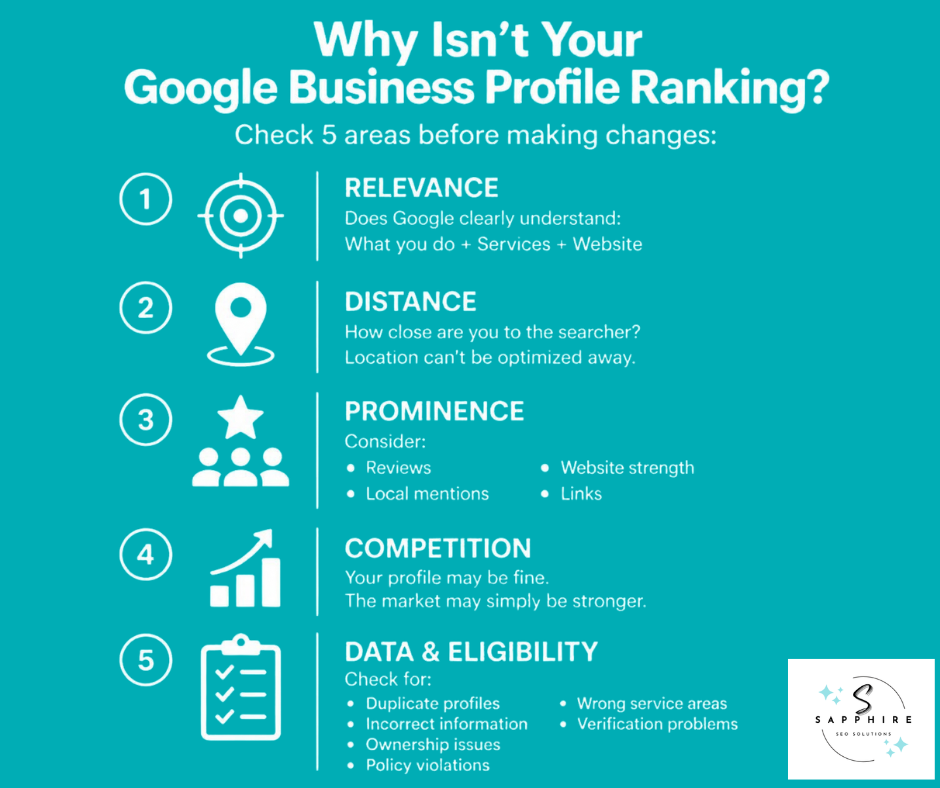
Google Business Profile Optimization vs. Local SEO
These two get mixed up all the time. They overlap, but they aren't the same job.
Profile management is the work inside the Google profile itself:
Business information, categories, and services
Photos, posts, and updates
Reviews and replies
Monitoring and fixing profile issues
Local SEO covers all of that and goes further. Google describes search engine optimization (SEO) as helping search engines understand your content and helping users find your site and decide whether to visit. Local SEO applies that to searches near you. So it also reaches:
Your website, service pages, and local content
Internal links between your pages
Citations (listings on other sites), reviews, and local authority
Technical SEO and relevant links
Measurement
One doesn't replace the other. They feed each other. Google says profile information is compiled from a variety of sources, including your official website, and that prominence is based partly on how many websites link to your business and how many reviews you have. So a profile can't carry a business alone. But a great website can't make up for a sloppy profile either.
Here's how mismatches play out:
Strong profile, weak website. Google finds you, but your site doesn't back up what the profile says. The fix is service pages that match your services.
Strong website, weak profile. Your pages are great, but the category is wrong, and the service list is thin. Fix the profile first.
Good profile, good website, weak local authority. Everything's in place, yet few people around town vouch for you online. That takes reviews, local mentions, and earned links, and it takes time.
Same symptom, three different causes, three different fixes. That's why the diagnosis in the last section matters so much.
Some owners handle the profile themselves and do fine. Others bring in local SEO services when the profile looks solid, but the phone still isn't ringing. Neither route is wrong. The real work is knowing which of the three problems you actually have.
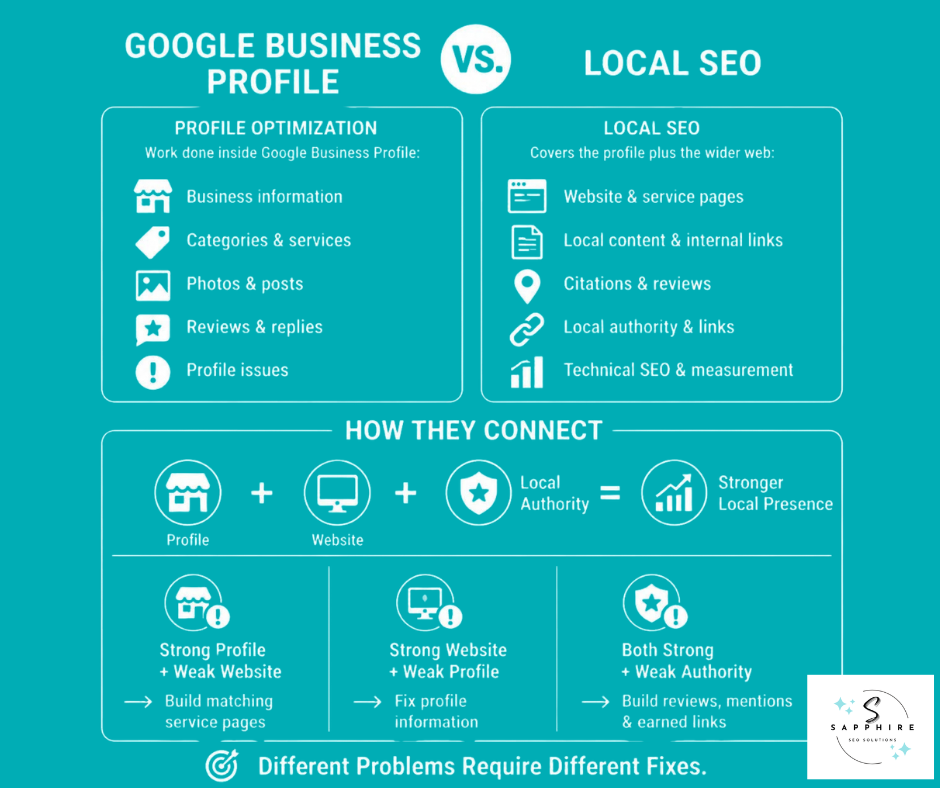
What to Look for in a Google Business Profile Management Service
Google says the profile is a tool that can be used at no charge, but third parties often charge a fee to manage your profile. So Google Business Profile management services should earn that fee. Here's what the good ones look like.
A solid service puts these in writing:
A clear scope of work and price
Updates to your information, services, and photos
Review monitoring and replies
Ongoing checks for duplicates, wrong edits, and other profile issues
Coordination with your website and local SEO work when needed
Google suggests asking whether they've managed Business Profiles before and worked with businesses with similar budgets and target audiences. Get an official copy of the agreement that clearly details the services and their costs. And use one third party at a time, since your business can only appear once on Google.
Ownership matters most. Google says only profile owners can control who has access, and third parties can't access your profile without your permission. So keep an owner login for your company and give the provider manager access. Google's third-party policies also say a provider charging a management fee must let customers know Business Profile is provided at no extra cost.
Reporting should be plain, too. Google says you have the right to know your profile's performance, such as how many users interact with, view, and click on your Business Profile. A good report also shows what changed, what they found, what's next, and whether calls turned into estimates.
Walk away from these:
Ranking guarantees. Google says third parties can't promise or directly influence your ranking through any special means.
Anyone claiming to work for Google. Google says to ask for an @google.com email.
Threats to remove your business or take over access.
Fake reviews or fake locations. Both break Google's rules.
Guaranteed AI answers, or "secret" tactics they won't explain.
Google Business Profile Optimization Checklist
Use this list to optimize your Google Business setup, one group at a time. Every item comes from the sections above.
Google Business Profile Checklist
Checking every box doesn't guarantee a top Maps position. Google says there's no way to request or pay for a better local ranking. But it does mean your profile is accurate, clear, and ready to compete.
Work with Sapphire SEO Solutions for a Strong Google Business Profile and a Stronger Local Search Presence!
A profile that looks complete isn't the finish line. It's the starting point.
Everything in this guide connects. It begins with knowing who your business is and what people search for when they need you. That shapes your categories and services. Your location and service area set the boundaries. Your website backs up the story, your reviews and photos prove it, and other local sources vouch for it. Then you check the numbers and follow them all the way to leads.
So Google Business Profile optimization isn't about filling in fields until every box is ticked. It's about making the business clear, accurate, relevant, and trustworthy. Then it's about supporting that information everywhere else customers and Google look.
And nobody can promise a top spot. Google says there's no way to request or pay for a better local ranking. What you can control is how clearly and honestly your business shows up.
If your profile is complete but the calls and jobs aren't coming in, the gap may be somewhere else. Sapphire SEO Solutions can review your profile alongside your website and your broader local SEO, then point out which opportunities are worth tackling first. Contact us to schedule your free consultation with an SEO expert today!

Frequently Asked Questions About Optimizing Google Business Profile
What is Google Business Profile optimization?
It's the work of making your profile accurate, relevant to real searches, useful to customers, and backed up across the web. Having a profile and optimizing one are two different things.
How do I optimize my Google Business Profile?
Confirm you're eligible, then claim and verify the profile. Get your name, address, hours, categories, and services right. Add real photos, ask for reviews, and check your Performance data. The checklist above walks through each step.
How do I improve my Google Business Profile ranking?
Google says local results are mainly based on relevance, distance, and prominence. You can shape relevance and prominence. Distance is mostly fixed. And there's no way to request or pay for a better local ranking.
What information should I add?
Everything that's true and useful: name, address or service area, phone, website, hours, categories, services, description, attributes, and photos. Skip fields that don't help a customer decide.
What is the best category?
The most specific one that describes your core business. Google's example is choosing "Nail salon" instead of "Salon."
How many categories should I use?
As few as it takes. Google says not to select a category for every product or service.
Should I put keywords in my business name?
No. Google says your name should reflect your real-world business name, and unnecessary information could result in suspension.
How do I handle a service-area business?
If you don't serve customers at your address, remove it from your profile. Then choose service areas by city or postal code. Google allows up to 20, with no radius.
Do Google reviews help local SEO?
Google says more reviews and positive ratings can help your business's local ranking. But it prohibits incentives and asking only your happiest customers.
Do photos help SEO?
Google says photos can help your business stand out and show customers what to expect. It hasn't said they raise your ranking. So add real ones for your customers.
Do Posts improve rankings?
Google describes Posts as a way to share timely information that helps customers decide whether to visit. It hasn't said they improve rankings.
Why isn't my profile showing on Google Maps?
Google says only verified businesses can show their business info on Maps and Search, and profiles that violate its guidelines can be disabled or suspended. Also, rankings for new businesses can take up to a month to appear. Check verification, eligibility, and duplicates first.
Can I rank in multiple cities?
Google says a service-area business gets one profile for the whole area it serves. Extra profiles for cities where you have no real location break the rules. Build strong website pages for the areas you serve instead.
Is profile optimization part of local SEO?
Yes, it's one piece. Local SEO also covers your website, citations, reviews, local authority, and measurement.
How long does it take?
Google says edits can take up to 3 days to show. Ranking results depend on your competition, and nobody can promise a timeline.
When should I hire a management service?
When the profile is solid but results lag, or you don't have the time. Look for a clear scope, owner access for you, and honest reporting. Google says third parties can't promise your ranking.